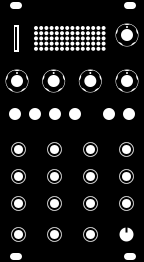
Squarp instruments Rample MIDI CCs & NRPNs
MIDI implementation details for the Squarp instruments Rample.
Last update: July 6, 2026 • 77 parameters


 CSV
CSV
 iOS / Mac
 Launch Control XL 3
 Deluge
 OXI
OXI
 DROID
DROID
 Pyramid
Contributions welcome! You can email us your edited CSV if you don't want to use GitHub.
MIDI implementation details for the Squarp instruments Rample.
Last update: July 6, 2026 • 77 parameters
Contributions welcome! You can email us your edited CSV if you don't want to use GitHub.
| Parameter | CC | Range | Usage | Description | Orientation |
|---|---|---|---|---|---|
| Pitch | 10 | [0–127] |
0~62: Pitch down; 63: Base pitch; 64~127: Pitch up
|
Shift pitch +/- 1 octave
Note: Repitch is varispeed |
Centered |
| Bits | 11 | [0–127] |
0~62: Algo 1 depth; 63: Dry; 64~127: Algo 2 depth
|
Bitcrush - sample rate and resolution reduction
Note: 2 algorithms to add bitcrush |
Centered |
| Filter | 12 | [0–127] |
0~62: Lowpass; 63: Unfiltered; 64~127: Highpass
|
DJ style low resonance filter
Note: Low pass to high pass |
Centered |
| Freeze | 13 | [0–127] |
0~62: Algo 1 depth; 63: Dry; 64~127: Algo 2 depth
|
Resampled beat repeat and glitch
Note: Algo 1: ping-pong style short loop. Algo 2: Rhythmic freeze |
Centered |
| Start point | 14 | [0–127] |
0~127: Playback start point
|
Start point for sample playback
Note: % of sample, or in beat values, based on slicer settings. |
0-based |
| Length | 15 | [0–127] |
0~127: Sample playback length
|
How much of the sample is played
Note: % of sample, or in beat values, based on slicer settings. |
0-based |
| Envelope | 16 | [0–127] |
0~62: Attack time; 63: Unenveloped; 64~127: Decay time
|
AD envelope to add attack OR decay
Note: Left adds env attack, Right adds env delay |
Centered |
| Run mode | 17 | [0–127] |
0-62: Toggle loop; 63: One shot; 64-127: Gate high only
|
Sample playback mode: oneshot, looping, or gated
Note: 3 types of sample playback |
Centered |
| Level | 18 | [0–127] |
0~63: Clean gain; 64~127: Driven gain
|
Sample playback gain
Note: Clean gain through to warm saturation |
Centered |
| Layer | 19 | [0–127] |
0~127: Layer select
|
Multisample playback layer selection
Note: Move throught the available layers |
0-based |
| Parameter | CC | Range | Usage | Description | Orientation |
|---|---|---|---|---|---|
| Pitch | 20 | [0–127] |
0~62: Pitch down; 63: Base pitch; 64~127: Pitch up
|
Shift pitch +/- 1 octave
Note: Repitch is varispeed |
Centered |
| Bits | 21 | [0–127] |
0~62: Algo 1 depth; 63: Dry; 64~127: Algo 2 depth
|
Bitcrush - sample rate and resolution reduction
Note: 2 algorithms to add bitcrush |
Centered |
| Filter | 22 | [0–127] |
0~62: Lowpass; 63: Unfiltered; 64~127: Highpass
|
DJ style low resonance filter
Note: Low pass to high pass |
Centered |
| Freeze | 23 | [0–127] |
0~62: Algo 1 depth; 63: Dry; 64~127: Algo 2 depth
|
Resampled beat repeat and glitch
Note: Algo 1: ping-pong style short loop. Algo 2: Rhythmic freeze |
Centered |
| Start point | 24 | [0–127] |
0~127: Playback start point
|
Start point for sample playback
Note: % of sample, or in beat values, based on slicer settings. |
0-based |
| Length | 25 | [0–127] |
0~127: Sample playback length
|
How much of the sample is played
Note: % of sample, or in beat values, based on slicer settings. |
0-based |
| Envelope | 26 | [0–127] |
0~62: Attack time; 63: Unenveloped; 64~127: Decay time
|
AD envelope to add attack OR decay
Note: Left adds env attack, Right adds env delay |
Centered |
| Run mode | 27 | [0–127] |
0-62: Toggle loop; 63: One shot; 64-127: Gate high only
|
Sample playback mode: oneshot, looping, or gated
Note: 3 types of sample playback |
Centered |
| Level | 28 | [0–127] |
0~63: Clean gain; 64~127: Driven gain
|
Sample playback gain
Note: Clean gain through to warm saturation |
Centered |
| Layer | 29 | [0–127] |
0~127: Layer select
|
Multisample playback layer selection
Note: Move throught the available layers |
0-based |
| Parameter | CC | Range | Usage | Description | Orientation |
|---|---|---|---|---|---|
| Pitch | 30 | [0–127] |
0~62: Pitch down; 63: Base pitch; 64~127: Pitch up
|
Shift pitch +/- 1 octave
Note: Repitch is varispeed |
Centered |
| Bits | 31 | [0–127] |
0~62: Algo 1 depth; 63: Dry; 64~127: Algo 2 depth
|
Bitcrush - sample rate and resolution reduction
Note: 2 algorithms to add bitcrush |
Centered |
| Filter | 32 | [0–127] |
0~62: Lowpass; 63: Unfiltered; 64~127: Highpass
|
DJ style low resonance filter
Note: Low pass to high pass |
Centered |
| Freeze | 33 | [0–127] |
0~62: Algo 1 depth; 63: Dry; 64~127: Algo 2 depth
|
Resampled beat repeat and glitch
Note: Algo 1: ping-pong style short loop. Algo 2: Rhythmic freeze |
Centered |
| Start point | 34 | [0–127] |
0~127: Playback start point
|
Start point for sample playback
Note: % of sample, or in beat values, based on slicer settings. |
0-based |
| Length | 35 | [0–127] |
0~127: Sample playback length
|
How much of the sample is played
Note: % of sample, or in beat values, based on slicer settings. |
0-based |
| Envelope | 36 | [0–127] |
0~62: Attack time; 63: Unenveloped; 64~127: Decay time
|
AD envelope to add attack OR decay
Note: Left adds env attack, Right adds env delay |
Centered |
| Run mode | 37 | [0–127] |
0-62: Toggle loop; 63: One shot; 64-127: Gate high only
|
Sample playback mode: oneshot, looping, or gated
Note: 3 types of sample playback |
Centered |
| Level | 38 | [0–127] |
0~63: Clean gain; 64~127: Driven gain
|
Sample playback gain
Note: Clean gain through to warm saturation |
Centered |
| Layer | 39 | [0–127] |
0~127: Layer select
|
Multisample playback layer selection
Note: Move throught the available layers |
0-based |
| Parameter | CC | Range | Usage | Description | Orientation |
|---|---|---|---|---|---|
| Pitch | 40 | [0–127] |
0~62: Pitch down; 63: Base pitch; 64~127: Pitch up
|
Shift pitch +/- 1 octave
Note: Repitch is varispeed |
Centered |
| Bits | 41 | [0–127] |
0~62: Algo 1 depth; 63: Dry; 64~127: Algo 2 depth
|
Bitcrush - sample rate and resolution reduction
Note: 2 algorithms to add bitcrush |
Centered |
| Filter | 42 | [0–127] |
0~62: Lowpass; 63: Unfiltered; 64~127: Highpass
|
DJ style low resonance filter
Note: Low pass to high pass |
Centered |
| Freeze | 43 | [0–127] |
0~62: Algo 1 depth; 63: Dry; 64~127: Algo 2 depth
|
Resampled beat repeat and glitch
Note: Algo 1: ping-pong style short loop. Algo 2: Rhythmic freeze |
Centered |
| Start point | 44 | [0–127] |
0~127: Playback start point
|
Start point for sample playback
Note: % of sample, or in beat values, based on slicer settings. |
0-based |
| Length | 45 | [0–127] |
0~127: Sample playback length
|
How much of the sample is played
Note: % of sample, or in beat values, based on slicer settings. |
0-based |
| Envelope | 46 | [0–127] |
0~62: Attack time; 63: Unenveloped; 64~127: Decay time
|
AD envelope to add attack OR decay
Note: Left adds env attack, Right adds env delay |
Centered |
| Run mode | 47 | [0–127] |
0-62: Toggle loop; 63: One shot; 64-127: Gate high only
|
Sample playback mode: oneshot, looping, or gated
Note: 3 types of sample playback |
Centered |
| Level | 48 | [0–127] |
0~63: Clean gain; 64~127: Driven gain
|
Sample playback gain
Note: Clean gain through to warm saturation |
Centered |
| Layer | 49 | [0–127] |
0~127: Layer select
|
Multisample playback layer selection
Note: Move throught the available layers |
0-based |
| Parameter | CC | Range | Usage | Description | Orientation |
|---|---|---|---|---|---|
| Pitch | 50 | [0–127] |
0~62: Pitch down; 63: Base pitch; 64~127: Pitch up
|
Shift pitch +/- 1 octave
Note: Repitch is varispeed, to +/- 1 octave |
Centered |
| Bits | 51 | [0–127] |
0~62: Algo 1 depth; 63: Dry; 64~127: Algo 2 depth
|
Bitcrush - sample rate and resolution reduction
Note: 2 algorithms to add bitcrush |
Centered |
| Filter | 52 | [0–127] |
0~62: Lowpass; 63: Unfiltered; 64~127: Highpass
|
DJ style low resonance filter
Note: Low pass to high pass |
Centered |
| Freeze | 53 | [0–127] |
0~62: Algo 1 depth; 63: Dry; 64~127: Algo 2 depth
|
Resampled beat repeat and glitch
Note: Algo 1: ping-pong style short loop. Algo 2: Rhythmic freeze |
Centered |
| Start point | 54 | [0–127] |
0~127: Playback start point
|
Start point for sample playback
Note: % of sample, or in beat values, based on slicer settings. |
0-based |
| Length | 55 | [0–127] |
0~127: Sample playback length
|
How much of the sample is played
Note: % of sample, or in beat values, based on slicer settings. |
0-based |
| Envelope | 56 | [0–127] |
0~62: Attack time; 63: Unenveloped; 64~127: Decay time
|
AD envelope to add attack OR decay
Note: Left adds env attack, Right adds env delay |
Centered |
| Run mode | 57 | [0–127] |
0-62: Toggle loop; 63: One shot; 64-127: Gate high only
|
Sample playback mode: oneshot, looping, or gated
Note: 3 types of sample playback |
Centered |
| Level | 58 | [0–127] |
0~63: Clean gain; 64~127: Driven gain
|
Sample playback gain
Note: Clean gain through to warm saturation |
Centered |
| Layer | 59 | [0–127] |
0~127: Layer select
|
Multisample playback layer selection
Note: Move throught the available layers |
0-based |
| Parameter | CC | Range | Usage | Description | Orientation |
|---|---|---|---|---|---|
| All Chan Layer Mode | 60 | [0–4] |
0: Manual; 1: Random; 2: Cyclic; 3: Reverse Cyclic; 4:Velocity
|
Select multisample layer playback mode for all channels
|
0-based |
| SP1 Layer Mode | 61 | [0–4] |
0: Manual; 1: Random; 2: Cyclic; 3: Reverse Cyclic; 4:Velocity
|
Select multisample layer playback mode for SP1
|
0-based |
| SP2 Layer Mode | 62 | [0–4] |
0: Manual; 1: Random; 2: Cyclic; 3: Reverse Cyclic; 4:Velocity
|
Select multisample layer playback mode for SP2
|
0-based |
| SP3 Layer Mode | 63 | [0–4] |
0: Manual; 1: Random; 2: Cyclic; 3: Reverse Cyclic; 4:Velocity
|
Select multisample layer playback mode for SP3
|
0-based |
| SP4 Layer Mode | 64 | [0–4] |
0: Manual; 1: Random; 2: Cyclic; 3: Reverse Cyclic; 4:Velocity
|
Select multisample layer playback mode for SP4
|
0-based |
| Parameter | CC | Range | Usage | Description | Orientation |
|---|---|---|---|---|---|
| All Chan Randomise Params | 70 | [0–127] | — |
Randomise parameters on all channels
Note: No value required, randomise on any CC change |
0-based |
| SP1 Randomise Params | 71 | [0–127] | — |
Randomise parameters on SP1
Note: No value required, randomise on any CC change |
0-based |
| SP2 Randomise Params | 72 | [0–127] | — |
Randomise parameters on SP2
Note: No value required, randomise on any CC change |
0-based |
| SP3 Randomise Params | 73 | [0–127] | — |
Randomise parameters on SP3
Note: No value required, randomise on any CC change |
0-based |
| SP4 Randomise Params | 74 | [0–127] | — |
Randomise parameters on SP4
Note: No value required, randomise on any CC change |
0-based |
| Parameter | CC | Range | Usage | Description | Orientation |
|---|---|---|---|---|---|
| All Chan Reset Params | 80 | [0–127] | — |
Reset parameters on all channels
Note: No value required, reset on any CC change |
0-based |
| SP1 Reset Params | 81 | [0–127] | — |
Reset parameters on SP1
Note: No value required, reset on any CC change |
0-based |
| SP2 Reset Params | 82 | [0–127] | — |
Reset parameters on SP2
Note: No value required, reset on any CC change |
0-based |
| SP3 Reset Params | 83 | [0–127] | — |
Reset parameters on SP3
Note: No value required, reset on any CC change |
0-based |
| SP4 Reset Params | 84 | [0–127] | — |
Reset parameters on SP4
Note: No value required, reset on any CC change |
0-based |
| Parameter | CC | Range | Usage | Description | Orientation |
|---|---|---|---|---|---|
| SP1 Punch FX | 91 | [0–127] |
0: Disabled; 1-127: Enabled
|
Enable punch effects on SP1
|
0-based |
| SP2 Punch FX | 92 | [0–127] |
0: Disabled; 1-127: Enabled
|
Enable punch effects on SP2
|
0-based |
| SP3 Punch FX | 93 | [0–127] |
0: Disabled; 1-127: Enabled
|
Enable punch effects on SP3
|
0-based |
| SP4 Punch FX | 94 | [0–127] |
0: Disabled; 1-127: Enabled
|
Enable punch effects on SP4
|
0-based |
| Parameter | CC | Range | Usage | Description | Orientation |
|---|---|---|---|---|---|
| Tape Amount | 110 | [0–127] |
0: Disabled; 1~127: Tape Amount
|
Amount of tape wow & flutter on all channels
Note: Depth and LFO speed controlled as a macro |
0-based |
| Compressor Preset | 111 | [0–9] |
0: Disabled; 1: Glue; 2: Peak Limiter; 3: Slow Opto; 4: Drum Transient; 5: Punchy VCA; 6: Leveling amp; 7: Parallel; 8: Agressive Limiter FET; 9: Mastering
|
Select compressor preset
|
0-based |
| Compressor Amount | 112 | [0–127] |
0: Disabled; 1~127: Compression Depth
|
Compressor amount, or depth of compression
|
0-based |
| Parameter | CC | Range | Usage | Description | Orientation |
|---|---|---|---|---|---|
| Kit Select (Instant) | 98 | [0–99] |
0~99: Select Kit Number
|
Instantly select the kit number within current bank
|
0-based |
| Select Bank | 99 | [0–25] |
0~25: Bank A~Z
|
Select the bank, from A~Z
Note: Typo: the manual states 1~25 |
0-based |
| Kit Select (Other Bank) | 0 | [0–99] |
0~99: Select Kit Number
|
Select a kit within a different bank (using PC or CC99 to select bank)
Note: This message THEN PC/CC99 for bank selection |
0-based |
| Prev Kit | 100 | [0–127] | — |
Select previous kit sequentially
Note: No value required, any CC Change will trigger kit change |
0-based |
| Next Kit | 101 | [0–127] | — |
Select next kit sequentially
Note: No value required, any CC Change will trigger kit change |
0-based |
This dataset is provided under the Creative Commons Attribution Share Alike 4.0 International license.